How to Build a Restaurant Technology Stack Without Overspending
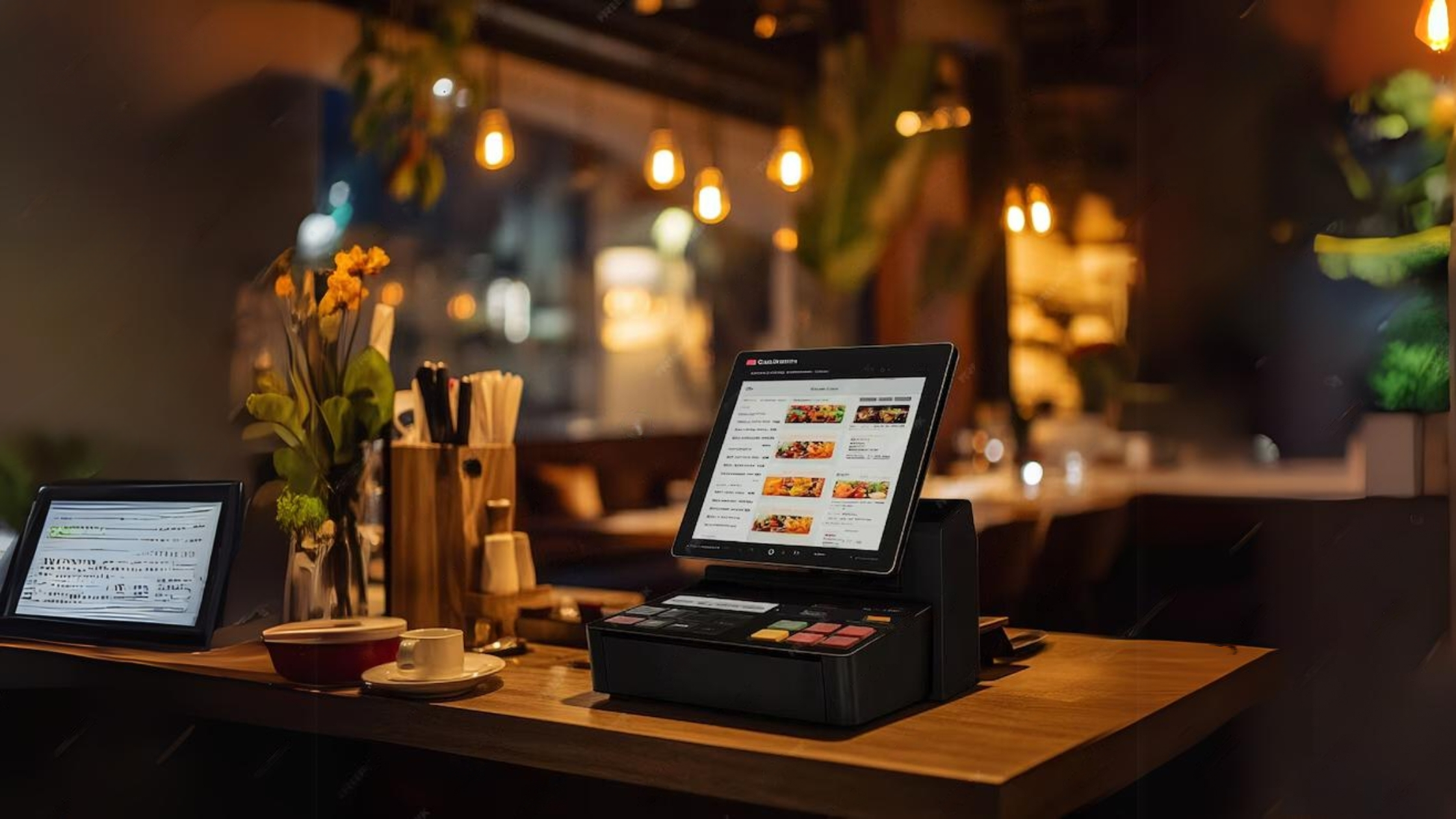
Running an independent restaurant in 2026 means navigating a dizzying marketplace of software subscriptions, hardware bundles, and app integrations--all promising to transform your operations. The reality? Most independent operators end up with a patchwork of disconnected tools that cost more than they save.
This guide cuts through the noise. You'll learn how to evaluate your real needs, choose tools that actually talk to each other, and build a restaurant technology stack that delivers measurable ROI--without blowing your budget.
Table of Contents
- Why Your Tech Stack Matters More Than Ever
- The Five Core Layers of a Restaurant Tech Stack
- How to Audit Your Current Technology
- Budgeting for Restaurant Technology: What to Expect
- The Integration Imperative: Why Disconnected Tools Cost You More
- Building Your Stack Layer by Layer
- How to Evaluate and Compare Vendors
- Common Mistakes Independent Restaurants Make
- How TableSync Fits Into Your Tech Stack
- FAQ
Why Your Tech Stack Matters More Than Ever
The restaurant industry's profit margins have always been razor-thin--typically 3-9% for full-service restaurants. In 2026, rising labor costs, food inflation, and shifting guest expectations have compressed those margins further. Technology is no longer a luxury; it's a survival tool.
But here's the trap many independent operators fall into: they adopt technology reactively, adding tools one at a time to solve individual problems. The result is what industry insiders call "tool sprawl"--a collection of disconnected subscriptions that each solve one problem while creating three more.
According to Modern Restaurant Management, the most successful independent operators in 2026 are moving toward fewer, smarter systems that share data seamlessly. The goal isn't to have the most technology--it's to have the right technology, properly integrated.
The Five Core Layers of a Restaurant Tech Stack
A well-designed restaurant technology stack has five distinct layers, each serving a specific operational function:
Layer 1: Point of Sale (POS)
Your POS is the heart of your operation. Every other tool in your stack should connect to it. Modern cloud-based POS systems do far more than process payments--they track inventory, manage labor, generate sales reports, and feed data to your other systems.
What to look for: Cloud-based architecture, open API integrations, real-time reporting, and offline functionality for when your internet goes down.
Layer 2: Front-of-House Operations
This layer covers everything guests interact with: online reservations, waitlist management, table management, and digital menus. A strong front-of-house system reduces no-shows, optimizes seating, and improves the guest experience.
What to look for: Two-way SMS communication, automated reminders, real-time table status, and integration with your POS.
Layer 3: Kitchen Operations
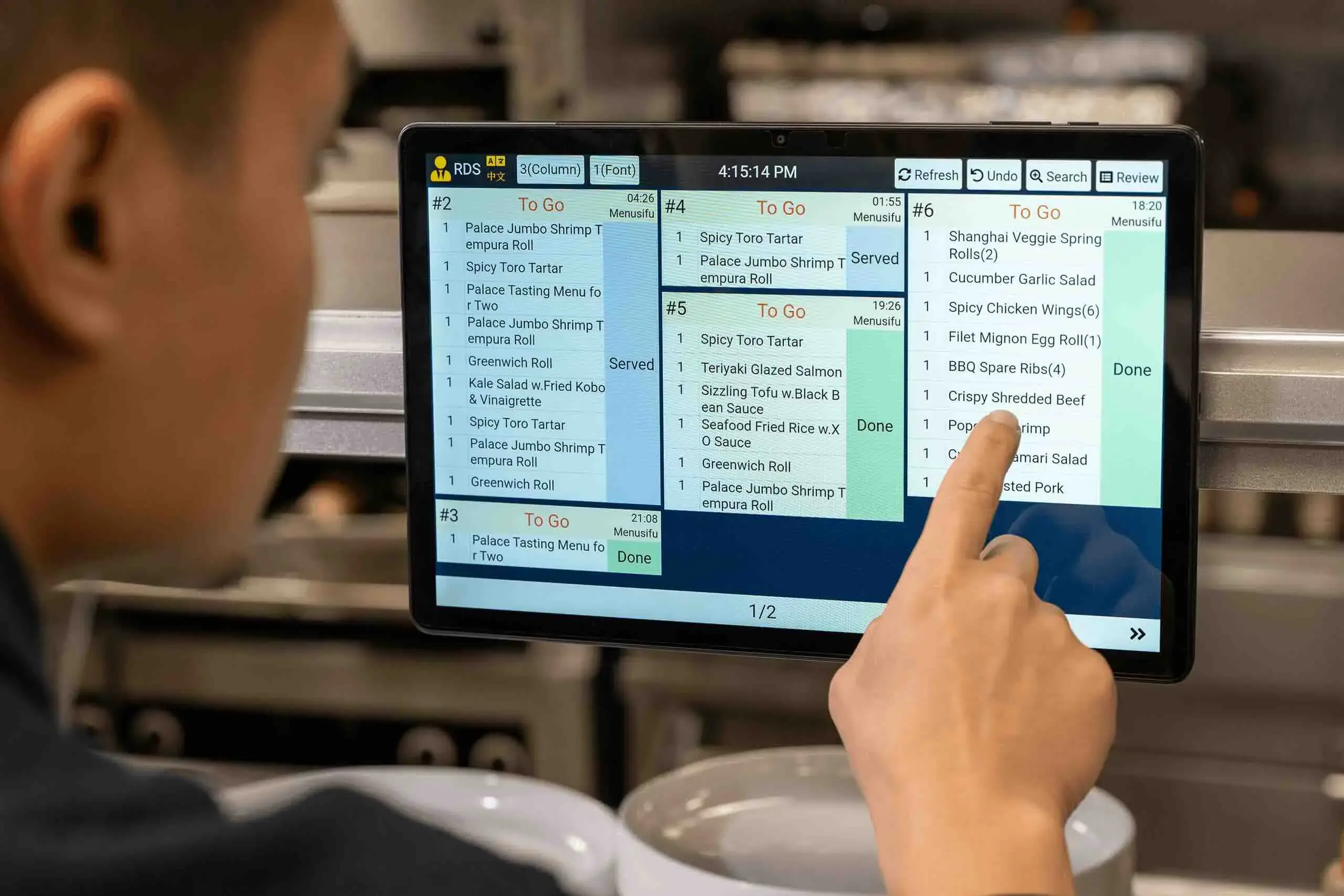
Kitchen Display Systems (KDS) replace paper tickets with digital screens that route orders from every channel--dine-in, online, delivery--to the right station. Research shows KDS platforms reduce order error rates from 15-20% down to under 2%, with ROI typically realized within 60-120 days.
What to look for: Multi-station routing, order timing alerts, integration with your POS and online ordering platform.
Layer 4: Back-of-House Management
This layer covers inventory management, food cost tracking, recipe costing, and vendor ordering. It's where you protect your margins. Tools like MarginEdge or Restaurant365 automate invoice processing and give you real-time food cost visibility.
What to look for: Automated invoice capture, recipe costing, waste tracking, and POS integration for real-time depletion.
Layer 5: People and Marketing
Staff scheduling, payroll, tip management, and guest marketing round out your stack. Tools like 7shifts handle scheduling and labor forecasting, while CRM and email marketing platforms help you drive repeat visits.
What to look for: Mobile-first scheduling, tip pooling automation, guest data capture, and segmented marketing capabilities.
How to Audit Your Current Technology
Before adding anything new, take stock of what you already have. Many operators are paying for tools they barely use.
Step 1: List every subscription. Pull your bank statements and credit card bills for the past three months. List every software subscription, including annual fees you may have forgotten about.
Step 2: Calculate actual usage. For each tool, ask: How often does my team use this? What specific problem does it solve? Could another tool we already have do the same thing?
Step 3: Identify your biggest pain points. Where are you losing time, money, or guests? Common culprits include:
- Manual data entry between systems
- Inaccurate inventory counts
- Scheduling conflicts and overtime
- No-shows and reservation gaps
- Slow ticket times during peak hours
Step 4: Map your integrations. Draw a simple diagram showing which tools connect to which. Any tool that stands alone--requiring manual data entry to sync with other systems--is a candidate for replacement.
This audit typically reveals 1-3 redundant subscriptions and 2-4 integration gaps that are costing real money.
Budgeting for Restaurant Technology: What to Expect
Understanding the true cost of restaurant technology requires looking beyond the monthly subscription fee. According to OrderOut's restaurant software cost analysis, the total first-year cost of technology for a small cafe typically ranges from $4,600 to $7,600, while full-service restaurants can expect $21,000 to $35,800.
Here's how those costs break down:
| Cost Category | Small Cafe | Full-Service Restaurant |
|---|---|---|
| Hardware (terminals, printers, KDS) | $800-$1,200 | $4,200-$7,200 |
| POS Software | $0-$150/month | $69-$300/month per terminal |
| Scheduling Software | $0-$50/month | $50-$200/month |
| Inventory Management | $0-$150/month | $150-$400/month |
| Reservation/Table Management | $0-$200/month | $100-$400/month |
| Payment Processing | 2%-3% + $0.10-$0.30/transaction | Same |
The hidden cost most operators miss: Payment processing fees. A 0.5% difference in processing rates can cost an additional $1,000-$2,500 per year for restaurants doing $200,000-$500,000 in card volume. Always negotiate processing rates as part of your POS contract.
Budget rule of thumb: Allocate 1-3% of annual revenue to technology. For a restaurant doing $800,000 per year, that's $8,000-$24,000--a range that allows for a solid, integrated stack without overspending.
The Integration Imperative: Why Disconnected Tools Cost You More
The single biggest mistake independent restaurant operators make is choosing tools based on features alone, without considering how they connect to the rest of the stack.
Here's what disconnected tools actually cost you:
Labor time: If your online ordering platform doesn't integrate with your POS, someone has to manually re-enter every order. At 50 online orders per day, that's 30-45 minutes of labor--roughly $5,000-$7,500 per year at current wage rates.
Error rates: Manual data entry introduces errors. A missed modifier or wrong table number during a dinner rush creates comps, waste, and unhappy guests.
Blind spots: When your inventory system doesn't talk to your POS, you can't see real-time food cost. You're making purchasing decisions based on gut feel instead of data.
The integration test: Before signing any software contract, ask the vendor: "Which other tools in my stack does this integrate with natively?" If the answer requires a third-party connector or manual export/import, factor that friction into your decision.
According to 7shifts' restaurant digital prep list, restaurants that achieve full integration between their POS, scheduling, and inventory systems consistently outperform those with fragmented stacks on both labor cost and food cost metrics.
Building Your Stack Layer by Layer
The most successful approach to building a restaurant tech stack is sequential--start with the foundation and build outward.
Phase 1: Lock In Your POS (Month 1-2)
Everything else depends on your POS choice. Evaluate at least three options, and prioritize integration capabilities over feature lists. Ask each vendor for a list of their native integrations and verify that your must-have tools are on it.
Popular options for independent restaurants:
- Toast: Strong for full-service restaurants; robust integration ecosystem; starts at $69/month
- Square for Restaurants: Ideal for smaller venues; free tier available; excellent for quick-service
- Lightspeed: Strong inventory management built in; good for complex menus
Phase 2: Add Front-of-House Operations (Month 2-3)
Once your POS is stable, add reservation and table management. This is where tools like TableSync come in--connecting your reservation flow to your floor plan and POS so your team always knows what's coming and when.
Visit tablesync.abacusai.app/signup to see how TableSync integrates with your existing POS to streamline front-of-house operations.
Phase 3: Solve Your Biggest Back-of-House Pain Point (Month 3-6)
Don't try to fix everything at once. Identify your single biggest back-of-house problem--food cost, scheduling, or inventory--and solve that first. Pilot the new tool for 30-60 days before adding anything else.
Phase 4: Add Marketing and Guest Retention (Month 6-12)
Once your operations are stable, layer in guest marketing. This might be an email marketing platform, a loyalty program, or a CRM that captures guest preferences. The key is that this layer should pull data from your POS--not require manual input.
How to Evaluate and Compare Vendors
When you're ready to evaluate specific tools, use this framework to compare apples to apples:
1. Total Cost of Ownership (TCO) Calculate the full first-year cost: hardware + software + payment processing + implementation + training. Don't compare monthly subscription fees in isolation.
2. Integration Depth Native integrations are always better than third-party connectors. Ask vendors to demonstrate the integration live, not just describe it.
3. Support Quality Restaurant problems don't happen during business hours--they happen during Friday dinner service. Ask vendors: "What is your average response time for urgent support tickets? Do you offer phone support during peak service hours?"
4. Contract Terms Avoid long-term contracts until you've piloted the software for at least 60 days. Many vendors offer month-to-month pricing at a slight premium--it's worth paying for the flexibility.
5. Scalability Ask how pricing changes as you add terminals, locations, or order channels. Some vendors charge per-location fees that make expansion expensive. Understand the "success tax" before you sign.
6. Data Ownership Confirm that you own your guest data and can export it if you switch vendors. Some platforms lock your customer list inside their ecosystem--a significant risk if you ever need to change tools.
Common Mistakes Independent Restaurants Make
After reviewing dozens of restaurant tech stacks, these are the most common--and costly--mistakes:
Mistake 1: Choosing the cheapest option Free or ultra-low-cost tools often lack the integrations and support that make technology actually useful. The cheapest POS that requires manual data entry to sync with your inventory system will cost you more in labor than a mid-tier option with native integration.
Mistake 2: Implementing everything at once A full tech stack overhaul during a busy season is a recipe for chaos. Implement one layer at a time, starting with your POS, and give your team 4-6 weeks to adapt before adding the next tool.
Mistake 3: Ignoring staff training The best software in the world delivers zero ROI if your team doesn't use it correctly. Budget for training time--not just the initial setup session, but ongoing refreshers as features update.
Mistake 4: Skipping the pilot Before committing to a full rollout, pilot new technology during a slower period. Establish a baseline metric (food cost percentage, labor cost percentage, ticket time) and measure the impact after 30-60 days.
Mistake 5: Letting vendors upsell you on features you don't need Every vendor will show you their most impressive features during a demo. Stay focused on your specific pain points. If you don't have a loyalty program yet, you don't need a CRM with advanced segmentation--start simple and add complexity as you grow.
How TableSync Fits Into Your Tech Stack
For independent restaurants managing reservations, walk-ins, and table assignments, the front-of-house layer is often the weakest link in the tech stack. Phone reservations get lost, walk-in waitlists are managed on paper, and hosts have no real-time visibility into table status.
TableSync is designed specifically for independent restaurants that want to professionalize their front-of-house operations without enterprise-level complexity or cost. It connects your reservation flow, waitlist, and table management into a single view--and integrates with your POS so your team always has accurate, real-time information.
The result: fewer no-shows, faster table turns, and a guest experience that feels polished and intentional. Learn more about how TableSync works or get in touch with our team to see if it's the right fit for your operation.
Start your free trial at tablesync.abacusai.app/signup
FAQ
Q: How much should an independent restaurant spend on technology? A: A general rule of thumb is 1-3% of annual revenue. For a restaurant doing $800,000 per year, that's $8,000-$24,000 annually. This range covers a solid POS, scheduling software, inventory management, and front-of-house tools. Start at the lower end and add tools as you can demonstrate ROI from each addition.
Q: What's the most important piece of restaurant technology to invest in first? A: Your POS system. Every other tool in your stack should integrate with it, so choosing the right POS foundation determines what's possible for the rest of your technology. Prioritize cloud-based systems with open APIs and a strong integration ecosystem over those with the most features.
Q: How do I know if my current tech stack is costing me money? A: Look for these warning signs: manual data entry between systems, staff spending more than 30 minutes per day on administrative tasks that software should handle, inability to see real-time food cost or labor cost, and subscription fees for tools your team rarely uses. Any of these signals that your stack has integration gaps or redundancies.
Q: Can I build a functional restaurant tech stack on a tight budget? A: Yes. Square for Restaurants offers a free POS tier. 7shifts has a free scheduling plan for small teams. Many reservation tools offer entry-level pricing under $100/month. The key is to prioritize integration over features--a lean, connected stack outperforms an expensive, fragmented one every time.
Q: How long does it take to see ROI from new restaurant technology? A: It depends on the tool. Kitchen Display Systems typically deliver ROI within 60-120 days through reduced errors and faster ticket times. Labor scheduling software usually shows results within 3-6 months. Inventory management tools take 6-12 months to fully optimize. Set realistic expectations and measure against a clear baseline metric before and after implementation.
Ready to simplify your operations?
Start your 14-day free trial of TableSync — no credit card required.
Start Free Trial